Radiant Q v1.0
100 MB
Introducing Radiant Q – A Tube EQ Plugin for Audio Excellence
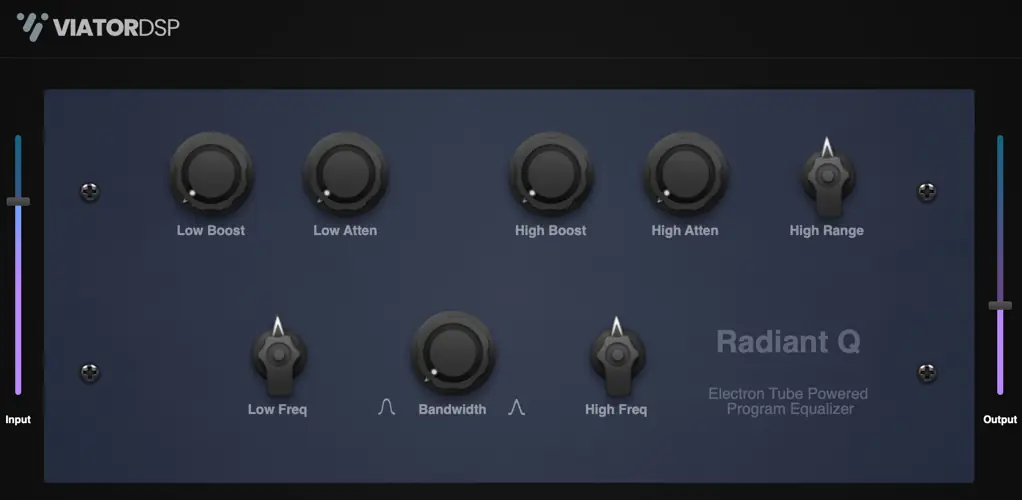
Elevate your audio production game with Radiant Q, an exquisite plugin that pays homage to the legendary tube-based equalizers of the bygone era. Immerse your tracks in warmth, character, and vintage charm as you rediscover the magic of classic analog sound.
Radiant Q Key Features:
- Vintage Tube Elegance: Radiant Q encapsulates the unmistakable warmth and richness of vintage tube hardware, offering an authentic analog experience that infuses your audio with soulful character and depth.
- Musical Precision: Craft your audio with finesse using Radiant Q’s finely tuned EQ curves. This plugin brings a gentle, musical touch to your sound shaping, ensuring that your tracks maintain their natural essence while allowing you to sculpt and enhance them with precision.
- Intuitive User Interface: Radiant Q’s user-friendly interface is designed for effortless operation. Its intuitive controls empower both seasoned professionals and newcomers to harness the power of vintage EQ with ease.
- Limitless Creativity: Whether you’re sweetening vocals, adding warmth to instruments, or sculpting your mix, Radiant Q is your creative companion. Its versatility spans across genres, making it an essential tool for any music producer or audio engineer.
- Time-Tested Excellence: Inspired by the classics but offering modern convenience, Radiant Q embodies the best of both worlds. It’s your gateway to the time-tested excellence of vintage tube EQ without compromise.
Unlock the Radiant Q experience and rediscover the art of audio refinement. Transform your music with the timeless allure of tube-based EQ, one shimmering note at a time.
Formats:
- Mac: Universal (Rosetta and Silicon) Audio Unit (component) and VST3 – 64 bit
- Windows: VST3 – 64 bit
Install Instructions:
- Windows: Download the windows zip file from this post, unzip the zip file on your PC, copy/move the resulting .vst3 file to your plugin folder. The default location is here: C:\Program Files\Common Files\VST3
- Mac: Download the mac zip file from this post that is in the format you normally use (component or vst3). Unzip the file and copy/move to the appropriate folder:
- AU (component) /Library/Audio/Plug-Ins/Components
- VST3 /Library/Audio/Plug-Ins/VST3


viator-radiant-q ( 103 MB )