Yabridge
4.2 MB
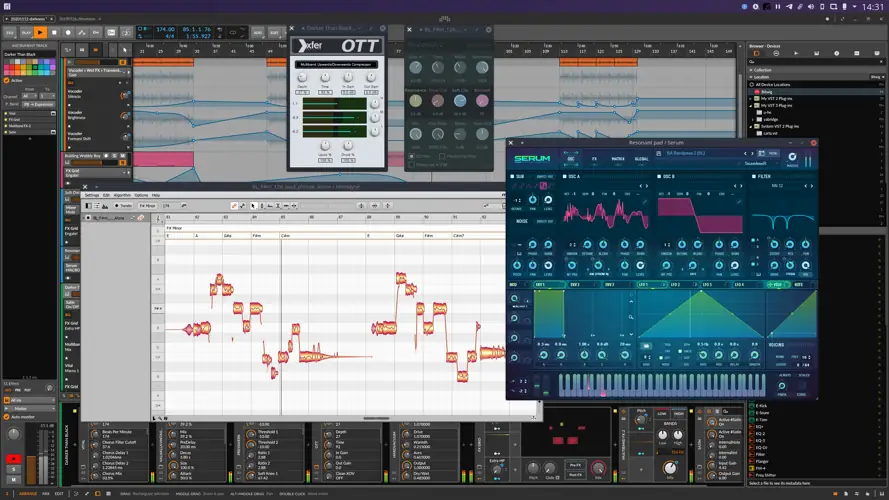
Yet Another way to use Windows audio plugins on Linux. Yabridge seamlessly supports using both 32-bit and 64-bit Windows VST2, VST3, and CLAP plugins in 64-bit Linux plugin hosts as if they were native plugins, with optional support for plugin groups to enable inter-plugin communication for VST2 plugins and quick startup times. Its modern concurrent architecture and focus on transparency allows yabridge to be both fast and highly compatible, while also staying easy to debug and maintain.
Tested with
Yabridge has been tested under the following hosts using Wine Staging 9.21. See #368 for information about GUI problems with Wine 9.22..
Usage:
Bitbridge
Yabridge can also load 32-bit Windows plugins so you can use them in your 64-bit Linux DAW. Yabridge will automatically detect whether a plugin is 32-bit or 64-bit on startup and it will handle it accordingly. If you’ve installed yabridge through a distro package, then it may be possible that your distro has disabled this feature.
Wine prefixes
It is also possible to use yabridge with multiple Wine prefixes at the same time. Yabridge will automatically detect and use the Wine prefix the Windows plugin’s .dll, .vst3, or .clap file is located in. Alternatively, you can set the WINEPREFIX environment variable to override the Wine prefix for all yabridge plugins.
Drag-and-drop
Yabridge supports drag-and-drop both from a native (X11) Linux application to plugins running under yabridge, as well as from yabridge plugins to native X11 applications like your DAW or your file browser. When dragging things from a plugin to your DAW, then depending on which DAW you’re using it may look like the drop is going to fail while you’re still holding down the left mouse button. That’s expected, since yabridge’s and Wine’s own drag-and-drop systems are active at the same time. If you’re using yabridge in REAPER or Carla, then you may need to enable a compatibility option to prevent those hosts from stealing the drop.
Input focus grabbing
Yabridge tries to be clever about the way grabbing and releasing input focus for a plugin works. One important detail here is that when grabbing input focus, yabridge will always focus the parent window passed by the host for the plugin to embed itself into. This means that hosts like Bitwig Studio can still process common key bindings like Space for play/pause even while you are interacting with a plugin’s GUI. The downside of this approach is that this also means that in those hosts you simply cannot type a space character, as the key will always go to the host.
For the very specific situations where you may want to focus the plugin’s editor directly so that all keyboard input goes to Wine, you can hold down the Shift key while entering the plugin’s GUI with your mouse. This will let you type spaces in text fields in Bitwig Studio, type text into the settings and license dialogs in Voxengo plugins, and it will also allow you to navigate dropdowns with the keyboard.


yabridge-5.1.1.tar ( 4 MB )